►
How to get started
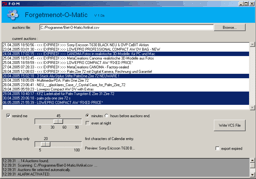
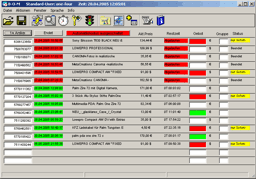
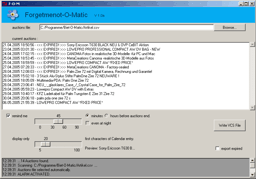
After having started Forgetmenot-O-Matic (FOM), the program scans your Bid-O-Matic auctions-file (e.g. "auktionen.csv") automatically for auctions. If FOM does not find the file (which is specified in the configuration file), you will have to locate it manually using the "Browse"-Button. Any found auctions will be displayed in the "current auctions"-list.
|
|
► |
|
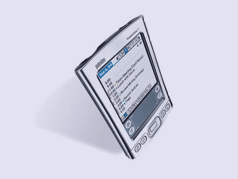
Generating the vcs (vCalendar) file containig your important auctions now is easy: All you have to do is to select the auctions you want to carry with you and want to be reminded of from the auctions-list and to press "Write VCS file"! The generated file "exportedauctions.vcs" will be saved in the FOM directory or in any desired location you specified in the FOM.cfg file. All you have to do now is to rightclick the file and to select "Open with" > "Palm Desktop Application" and confirm the import once. After the next HotSync your Handheld will remind you of any auction you selected.
|
|
► |
|
There are a few self-explanatory options you may want to set: Switch the alarm off if it would disturb you at night or on if it's that important (Note: All exported auctions will have the same alarm offset from auction time). You may want to export expired auctions for whatever reason. Switch 'export expired' on and FOM will stop ignoring these auctions. To save place on the small PDA-screen, you can set the number of characters for the entry to a low value, 10 to 20 is recommended (see Preview).
Requirements
FOM 1.0 has been tested under Windows 2000 with Palm Desktop 4.1.4 and Bid-O-Matic (BOM) V 2.0.21 (Keyfile Version 1.0.32). It should work well with lots of other Software Versions or even programs, but no compatibility is guaranteed. If you encounter any problems, please email a complete description to FOM@deck12.de, so I can work on compatibility problems in future versions or at least inform about them.
Installation
FOM does not need to be installed. You just have to unpack the files (Note: Please don't unpack the included file 'library.zip') to the directory you like (e.g. 'C:/programs/forgetmenot-o-matic' and start forgetmenot-o-matic.exe to execute the program. You may want to create a shortcut e.g. on your desktop or quicklaunch-bar for your convenience.
How much does it cost ?
FOM 1.0 is freeware! Please see the included Lincense file for details.
------------------------------------------------------------
_FOM_by Joerg Schwarze_www.deck12.de/fom_fom@deck12.de_